Build the apps your operation runs on
Ship custom map apps with the JavaScript SDK, REST API, and Felt AI. Felt handles tiling, storage, and processing so your developers can focus on the tools your business needs.
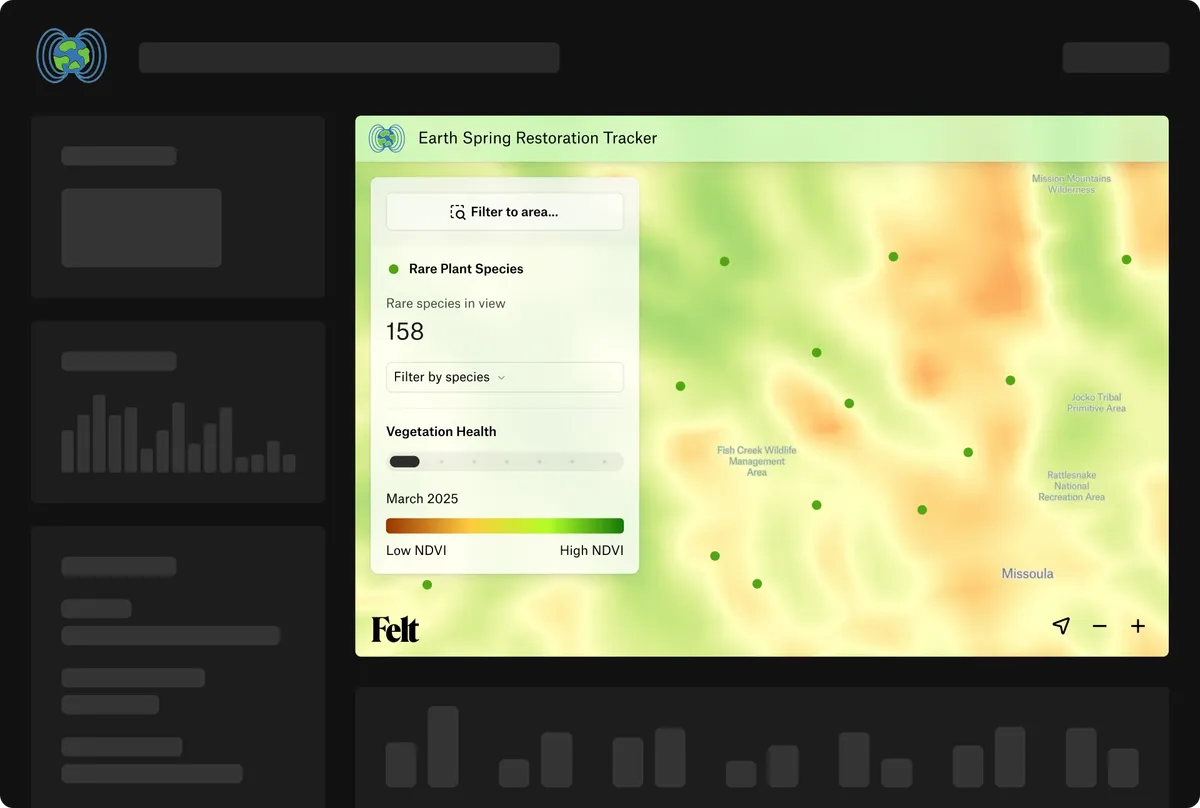






From a custom tool to a complete map app
Build on the same maps and data as your team. Add your business rules, connect your systems, and deliver an experience that fits your users.
Bring interactive maps into your app
Give your customers interactive maps inside your own app. The JavaScript SDK connects maps to your interface, and secure embed tokens let users open private maps without a Felt account.
- Works with React or any JavaScript app
- TypeScript support, available through npm or a CDN
- Control layers, filters, clicks, and the view
Design the experience around your users
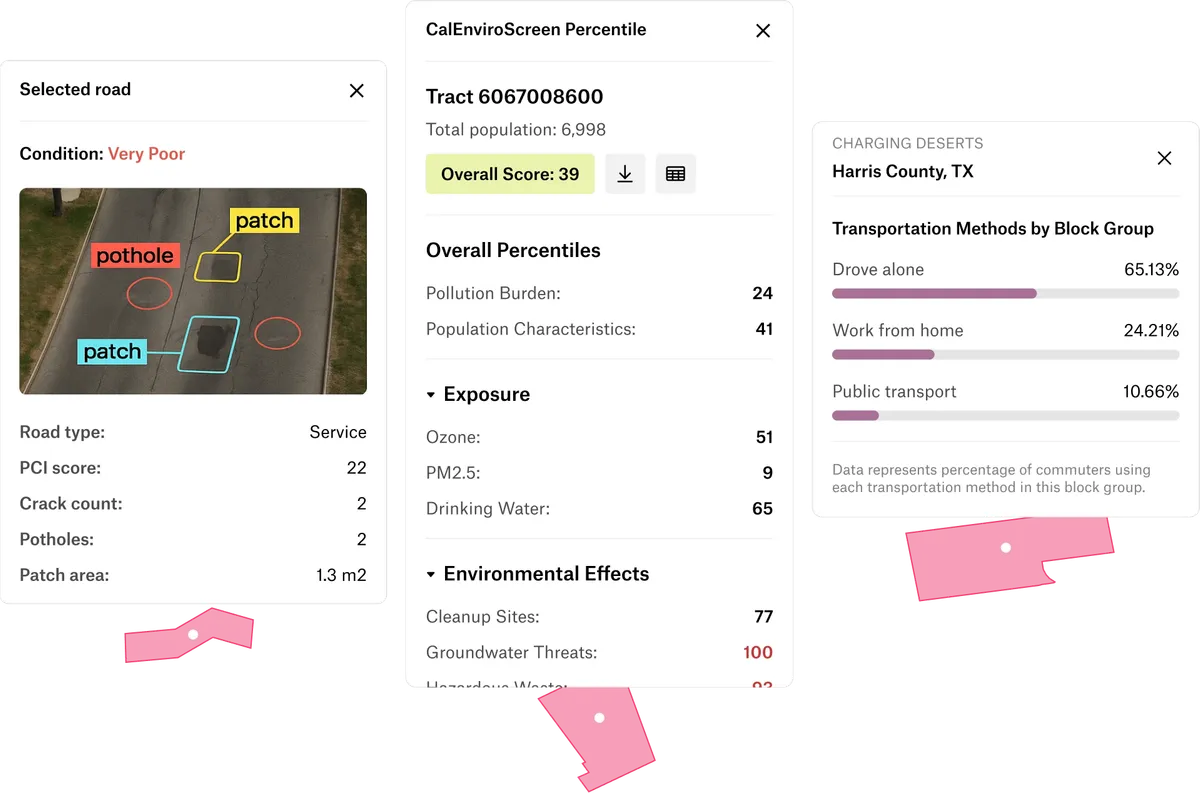
Put the details your users need one click away. Build custom popups, sidebars, and dialogs with your own design, and use the SDK to fit embedded maps into your app’s interface.
- Add images, charts, tabs, or links
- Write the HTML and CSS, or ask Felt AI
- Load a web page per feature on click or hover
- Show content in a card, sidebar, or dialog
Turn your rules into tools inside the map
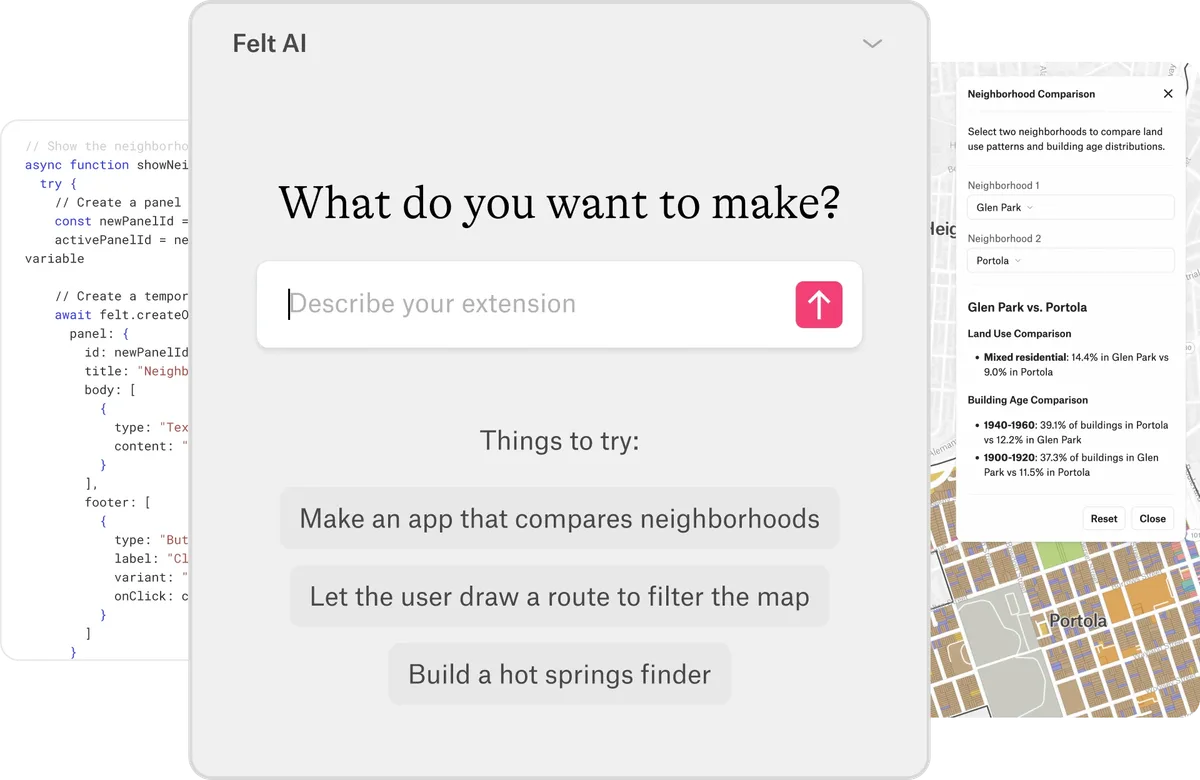
Help your team prioritize sites, flag inspections, and apply your business rules on the map. Describe a tool to Felt AI, then share it with anyone who can view the map, without an additional seat.
- Describe a tool and Felt AI writes it
- React to clicks, drawn shapes, and map moves
- Filter and restyle layers, add panels and buttons
- Request data from the web services you run
Automate workflows with the REST API
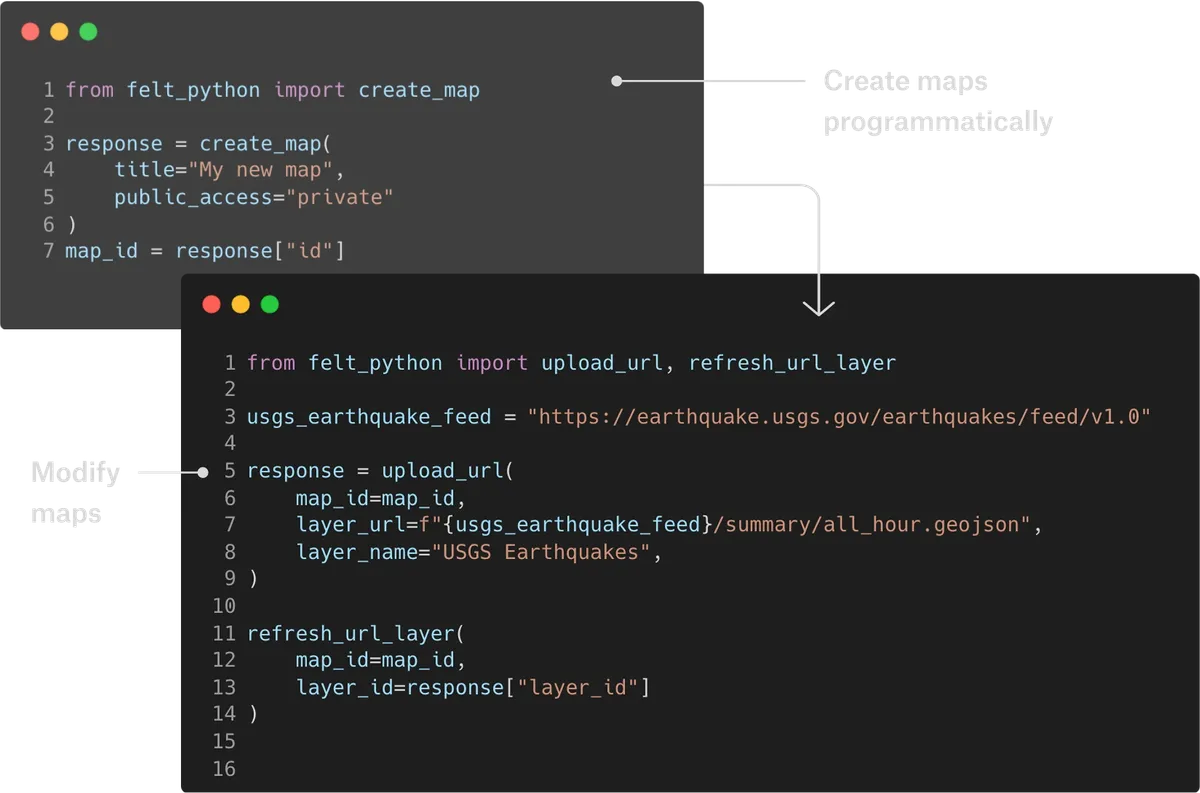
Keep maps connected to the systems that run your business. Use the REST API to create maps, refresh layers, and export edits for your pipelines to bring back into your database.
- Create maps or duplicate a template map
- felt-python library for Python scripts
- Webhooks when a map is edited or commented on
- Embed private maps with embed tokens
Common questions
- 01Can I push and pull data through Felt’s API?
Yes. The REST API lets your pipelines upload files, refresh layers when data changes, and export layer data, including edits made in Felt. Webhooks tell your systems when a map is edited.
- 02Can I embed private maps for users without Felt accounts?
Yes. Your users can open private maps inside your app without a Felt account. Your server requests an embed token from the REST API; each token grants access to one map for 12 hours.
- 03Can I build custom map apps on Felt?
Yes. Embed Felt maps in your web app with the JavaScript SDK and control layers, filters, and the view from your code, while Felt handles tiling, storage, and processing underneath.
- 04Can Felt pull data from external APIs?
Yes. GeoJSON feeds, ArcGIS services, and WFS connect by URL and refresh on a schedule. For any other API, an extension or the JavaScript SDK can fetch and draw the data.
- 05How much development skill do custom Felt apps take?
You can start without writing code. Describe a tool to Felt AI and it generates an extension you can review and refine. Developers can build embedded apps with the JavaScript SDK in React or another JavaScript framework.
Bring your data, see it on the map
Connect a database or drop in a file and see your data live on a map in minutes.