What’s a geospatial database? Practical guide on types and use cases
Learn what a geospatial database is, how it manages location data, and how teams use real-world mapping.
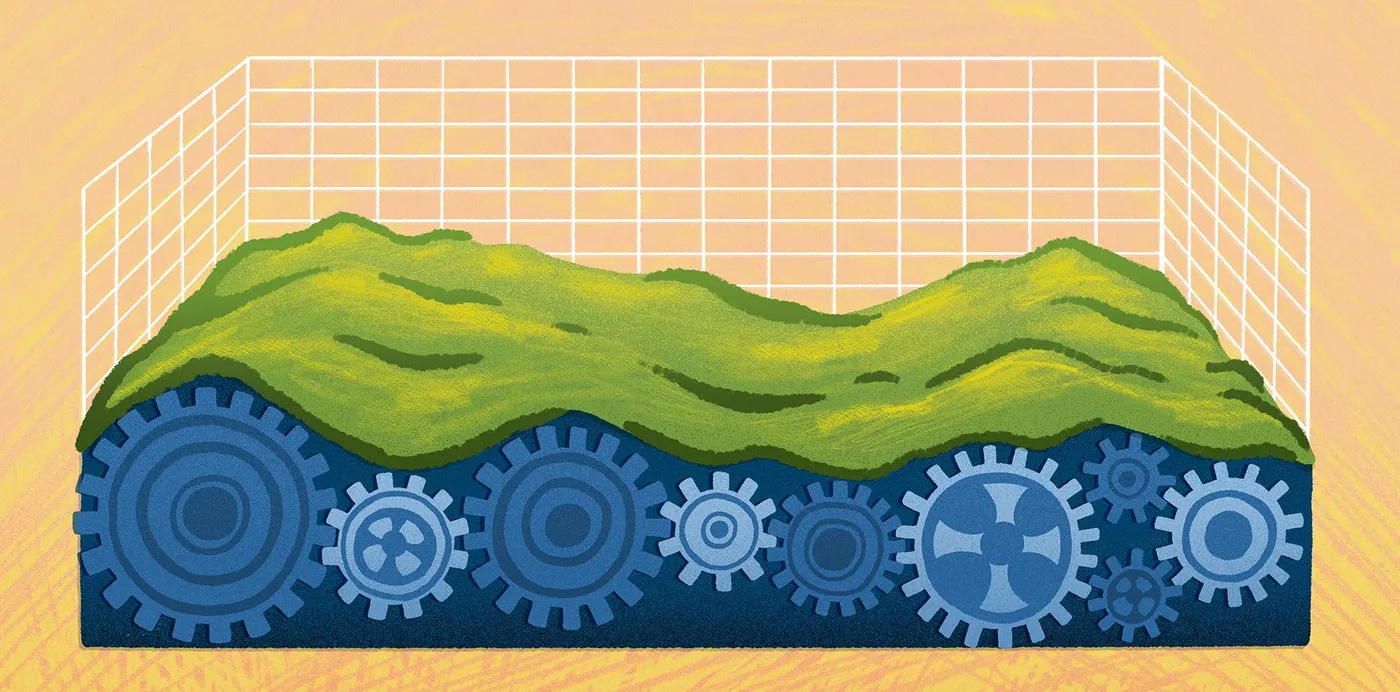
Explore what a geospatial database is, how it manages location data, how teams use mapping today, and what’s next for spatial technology.
Lists and spreadsheets can tell you what happened — ten power outages, twelve delayed deliveries, and a few dozen reports of stressed crops. But a simple document doesn’t show how those points relate to one another and evolve over time.
Geospatial databases attach that same information to a location and plot it on a map. Now, the picture begins to come into focus: Outages line up along an old utility corridor, delays cluster around the same intersection, and crop issues trace the curve of a south-facing slope. These tools ground your data in place and uncover underlying patterns you can put to real use.
Read on to learn what geospatial databases are and how different industries put them to work. Plus, explore how AI-powered systems like Felt transform geospatial data into clear, collaborative workflows.
What’s a geospatial database?
A geospatial database is a system built to store and query spatial information. This location data describes a feature, event, or condition paired with the place it occurs. When location is part of the dataset, you can see how things relate and travel across a landscape.
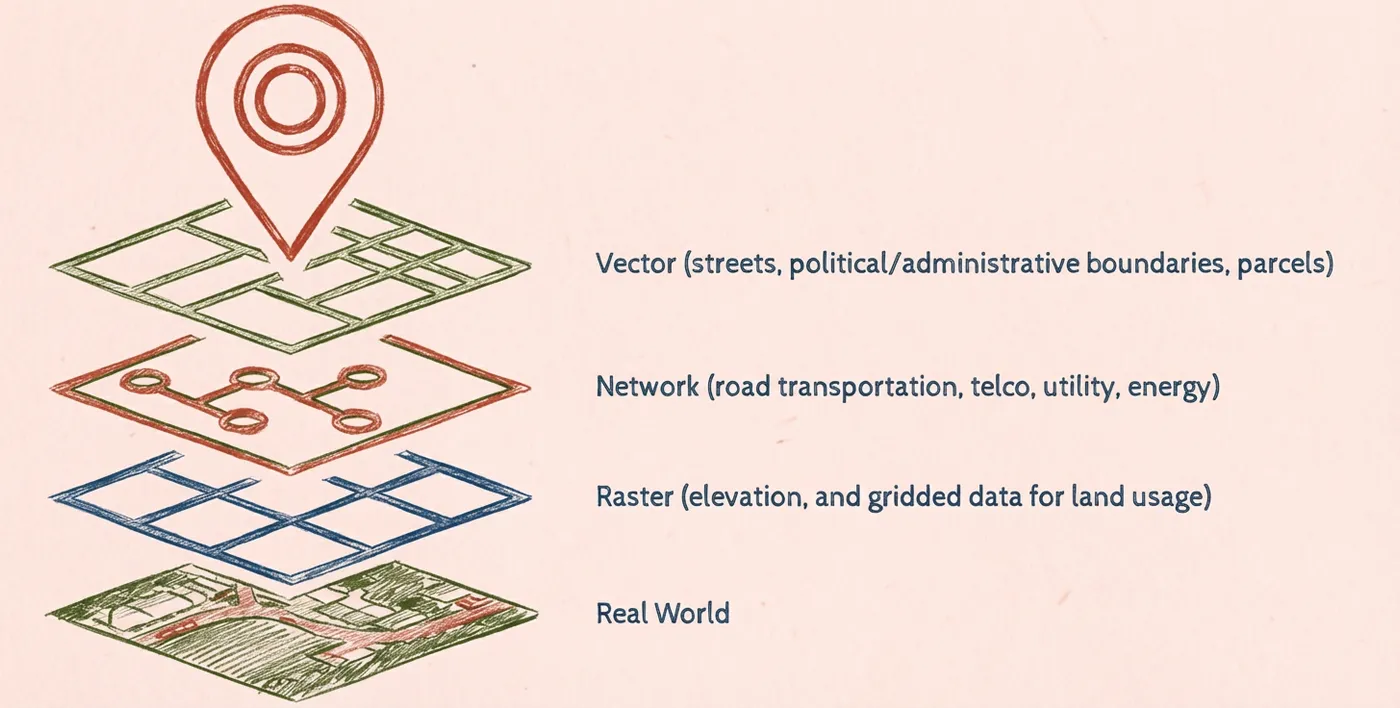
Database software organizes geospatial data into forms that maps and GIS tools can understand. These tools typically store two types of data: vector data (points, lines, polygons) and raster data (imagery and other grid-based surfaces).
Because geospatial databases follow shared interoperability standards, different tools can read and work with the same datasets at scale. This helps teams use their geographic information systems (GIS) to run meaningful geospatial analysis and make better business decisions. For instance, a company might track urban area growth to choose a new real estate development location.
Benefits of using a geospatial database
Here are a few advantages of using a database to store, query, and analyze location-based information:
- Improved accuracy: Specific coordinates, spatial rules, and geometry-aware queries ensure maps stay consistent with the real world.
- Reduced costs: A centralized, enterprise-structured system cuts down on duplicate work and costly field visits.
- Increased safety: Running regular analysis of real-world conditions helps teams spot risks early and respond quickly when issues emerge.
- Efficient resource management: Location-specific data makes it easier to deploy staff, equipment, and funding where they’re needed most.
6 geospatial database examples
Countless teams rely on understanding real-world locations, from operations to services. Let’s look at how teams across industries empower better decisions with geospatial databases.
1. Retail
Geospatial databases can uncover consumer patterns, like how demographics and shopping preferences change across different stores. Retailers can use these geographic attributes to plan inventory and refine marketing strategies for specific locations.
2. Telecommunications
These teams keep detailed databases with map towers, fiber routes, and customer density to uncover gaps in coverage and overcongestion. They use these patterns to build more efficient networks and plan maintenance schedules.
3. Construction
Spatial information helps teams understand terrain constraints and surrounding zoning restrictions. This mitigates permitting risks and supports successful project planning. For example, a team might use geospatial data to identify a flood zone and choose a safer site for development.
4. Environmental management
These teams use geospatial databases to analyze local environments, including habitat changes and wildfire risk. This helps organizations model long-term environmental conditions and plan protection efforts.
5. Insurance and risk assessment
Insurers rely on geospatial data like claim histories and environmental information. These geodatabases help assess issues like exposure to hazards and frequency of natural disasters to determine risk and price policies.
6. Public health
Health agencies analyze geospatial databases to identify hotspots, predict disease spread, and understand how social factors shape health outcomes. This information supports better health initiatives via targeted interventions and resource planning.
Geospatial data management best practices
Most databases hold thousands of entries, and while more information means razor-sharp context, this data requires strong management practices to support security, scalability, and team performance.
Here are a few strategies to handle spatial datasets confidently:
- Process data where it lives: Moving large spatial datasets between platforms can create duplicate work and increase the risk of inconsistency. Integrate, clean, and analyze the data where it already lives to ensure everyone works with the same, up-to-date spatial data.
- Standardize spatial formats: When teams store spatial data in consistent, widely supported formats, it’s easier for GIS software tools and cloud services to read and use the same layers. This reduces friction between systems and streamlines analysis, helping you easily move datasets from your database to a geospatial mapping tool.
- Prioritize security and accessibility: You may acquire spatial data with sensitive information about consumers, assets, and infrastructure. Centralize this information in a secure environment with clear permissions and governance to ensure only the right teams can access it.
- Build for scale: As imagery, sensor feeds, and vector layers stack on top of each other, your system must support heavy information loads without slowing down. Cloud-native storage and processing makes it easier to handle millions of features without sacrificing high performance.
The future of geospatial data workflows
Spatial workflows used to depend on heavyweight tools, long handoffs, and years of GIS expertise. Today’s teams rely on cloud-native, AI-powered systems that make daily tasks a breeze. Let’s look at how geospatial work will continue to evolve:
- Cloud-native processing: The cloud can store and analyze spatial data easily, which helps manage and process massive datasets.
- AI-assisted cleanup: Modern GIS tools automatically detect and fix inconsistencies. This reduces time spent on troubleshooting broken files, correcting errors, and searching for mismatched attributes.
- Predictive analysis capabilities: Predictive maps automatically update as new geospatial information comes in, letting companies spot changes quickly. Teams can then analyze these data patterns to predict future outcomes, anticipate shifts, and plan ahead.
- Streamed and real-time data: Many platforms import live sensor data and real-time feeds, providing teams with up-to-date, accurate datasets.
- Browser-based collaboration: Databases that rely on browsers rather than traditional software let you store maps and datasets in shared workspaces. This lets all team members edit, comment, and explore without specialized equipment.
Emerging geospatial data platforms
As geospatial database technologies evolve, more game-changing software enters the market. Here’s what they have to offer:
- Felt: This cloud-native, AI-native platform connects with geospatial databases for a seamless workflow. With Felt, you can store, query, and visualize complex geographic data with simple prompts rather than extensive GIS overhead and expertise. This software works with you, integrating smoothly with tools like Power BI and Esri services.
- Databricks: This tool offers a centralized hub for analyzing and visualizing spatial data. It supports engineer collaboration, allowing teams to write code in real time, including Python, SQL, and Scala languages.
- PostgreSQL: This open-source object-relational database allows teams to store and access complex data in a simple, accessible way. It directly connects with Felt, letting you upload and visualize massive datasets in seconds.
- Microsoft SQL Server: This platform offers data storage and analysis for self-hosted and cloud infrastructures. It supports geometry and geography spatial data types.
- Amazon Aurora: This platform built by Amazon is a cloud-based relational database that’s compatible with MySQL and PostgreSQL. It has built-in security measures, multi-region availability, and support for globally distributed apps.
From spatial data to scalable workflows: Managing geodatabases with Felt
Geospatial databases provide valuable insights you can’t get anywhere else, and modern tools make it effortless to access and put to real use. Understand your spatial data faster with Felt. Our AI platform gives teams a fast, browser-based workspace for storing, querying, and working with geodatabases — without the hassle of traditional GIS tools.
Felt connects directly to your spatial data sources so you can bring in vector and raster layers at scale. Collaborate on maps and analytics in real time, then share the results with a simple link.
See how Felt modernizes geospatial workflows across industries. Book a demo today.